
iPads are great tools for seniors to stay connected and engaged. They offer easy-to-use apps that can make life more fun and simple. The best iPad apps for seniors include Zoom for video calls, MarineTraffic for tracking ships, and Impulse Brain Training for mental exercise.

You can find apps for many different interests and needs. Some help with health and safety, like the Red Cross Emergency App. Others are for entertainment, such as Vera Music for listening to tunes. There are even apps to help you read small print or check the weather.
With so many choices, you’re sure to find apps that fit your lifestyle. Whether you want to stay in touch with family, learn new things, or just have fun, there’s an app for that. Let’s look at some of the best iPad apps that can make your digital life easier and more enjoyable.
Understanding iPad Basics

Getting started with your iPad is easy and fun. Here are some key tips to help you make the most of your device.
Navigating the Home Screen
The home screen is where you’ll find all your apps. To move between screens, swipe left or right. Tap an app icon to open it. To close an app, press the home button or swipe up from the bottom of the screen.
You can organize your apps into folders. Just press and hold an app icon until it jiggles, then drag it onto another app. Name your folder something that makes sense to you.
The dock at the bottom of the screen holds your favorite apps. You can add or remove apps from the dock by dragging them in or out.
Adjusting Settings for Easier Use
Your iPad has many settings to make it easier to use. Go to Settings > Accessibility to find them.
Here are some helpful options:
- Larger Text: Makes words bigger and easier to read
- Voice Over: Reads screen content out loud
- Zoom: Magnifies the screen
- AssistiveTouch: Helps if you have trouble with gestures or buttons
You can also adjust brightness and volume to your liking. Use the Control Center by swiping down from the top-right corner of the screen.
Privacy and Security Essentials
Keeping your iPad secure is important. Set up a passcode by going to Settings > Face ID & Passcode or Touch ID & Passcode.
Enable Find My iPad in Settings > [Your Name] > Find My. This helps you locate your device if it’s lost.
Be careful when downloading apps. Stick to the App Store for safe, approved apps.
Update your iPad regularly. Go to Settings > General > Software Update. This keeps your device secure and running smoothly.
Remember to sign out of apps and websites when using shared devices. Your privacy matters!
Communications Made Simple

Staying in touch with loved ones is easy with iPad apps. These tools make video calls and messaging a breeze for seniors.
Video Calls for Staying Connected
FaceTime is great for video chats with family. It’s already on your iPad and simple to use. Just tap a contact to start a call.
Want to see your grandkids? Try Google Duo. It works on both Apple and Android devices. The big buttons make it easy to dial.
Skype is another good choice. You can make free calls to other Skype users. It also lets you call regular phone numbers for a small fee.
These apps let you see and hear your loved ones as if they’re in the room with you. Don’t worry about tech skills – they’re all made to be user-friendly.
Mastering Messaging and Email
Texting is a quick way to check in with family. The iPad’s Messages app is perfect for sending short notes or photos.
For longer messages, try email. The Mail app on your iPad is easy to navigate. You can make the text bigger if it’s hard to read.
Telegram is a great messaging app for seniors. It’s safe and fast. You can send texts, photos, and even voice messages.
Want something simpler? Look for apps made just for older users. They often have larger buttons and easier layouts. With these tools, you’ll be a messaging pro in no time!
Entertainment and Leisure

iPads offer seniors many fun ways to relax and enjoy themselves. You can watch shows, listen to music, and play games right on your tablet.
Streaming and Music Apps
You’ll love having easy access to TV shows and movies on your iPad. Netflix, Hulu, and Amazon Prime Video let you watch your favorite programs anytime. For music lovers, apps like Spotify and Apple Music give you millions of songs at your fingertips.
These apps have big, clear buttons that are easy to use. You can create playlists of your favorite tunes or discover new artists. Many offer free versions to try out before deciding if you want to pay for more features.
Engaging with Mobile Games
iPad games can be a blast and may even help keep your mind sharp. Word games like Words With Friends 2 let you play against friends or family members. Puzzle games such as Candy Crush Saga are fun and can improve your problem-solving skills.
If you enjoy faster-paced games, try Temple Run. It’s simple to learn but exciting to play. Many games are free to download, so you can try different ones to find what you like best.
Remember, playing games on your iPad isn’t just fun – it might help your brain stay active too!
Staying Organized and Informed

iPads offer great apps to help you manage your daily life and stay up-to-date with current events. These tools can make your routine easier and keep you connected to what’s happening in the world.
Managing Daily Tasks
Want to stay on top of your to-do list? Try apps like Calendars. It brings your schedules, tasks, and routines together in one place. You can connect calendars from Google, iCloud, or Outlook.
The iPad’s Notes app is also handy. Use it to keep track of medications and appointments. You can jot down ideas or record thoughts while reading a book too.
These apps can help you:
- Make shopping lists
- Set reminders for taking medicine
- Plan your week
- Track your blood pressure readings
Remember, staying organized can reduce stress and help you feel more in control of your day.
Keeping Up with the News
Want to know what’s happening in your area and around the world? Your iPad can be a window to current events.
Apple News comes pre-installed on your iPad. It gives you a mix of top stories and articles based on your interests. You can also download apps for your favorite news sources.
Here are some ways to stay informed:
- Set up alerts for breaking news
- Follow local news stations on social media
- Use apps to find local events in your community
Reading news on your iPad lets you adjust text size for easier viewing. You can also use the iPad’s speak selection feature to have articles read aloud to you.
Health and Well-Being Apps

Taking care of your health is easier than ever with iPad apps. You can track your meds, check your blood pressure, and stay fit right from your tablet.
Medication Trackers
Keeping up with your pills can be tricky. That’s where MediSafe Medication Management comes in handy. This free app helps you remember when to take your meds.
You can set reminders for each pill. The app will tell you when it’s time to take them. It even reminds you to refill prescriptions.
MediSafe can also share info with your family. This way, they can help make sure you’re on track.
Fitness and Health Monitoring
Staying active is key to feeling good. Your iPad can be your personal trainer. There are apps to guide you through gentle exercises right in your living room.
Want to keep an eye on your heart? Try a blood pressure app. These let you log your readings and see how you’re doing over time.
If you have an Apple Watch, it works great with your iPad. It can track your steps, heart rate, and even detect falls. All this info shows up on your iPad in easy-to-read charts.
With these apps, you’re in control of your health. They make it fun and easy to stay on top of your well-being.
Educational and Cognitive Apps

iPads offer many apps to keep your mind sharp and help you learn new things. These apps can be fun and good for your brain at the same time.
Stimulate Your Mind with Puzzles
Brain training apps like Peak and CogniFit are great for boosting your thinking skills. They have games that test your memory, logic, and problem-solving abilities. You can play these games daily to give your mind a workout.
Word games are another fun way to keep your brain active. Try apps like Words With Friends or Crossword Puzzle. These games help you learn new words and think creatively.
For a visual challenge, try jigsaw puzzle apps. Vita Jigsaw is a good option. You can pick from many beautiful pictures and adjust the difficulty level.
Learning New Skills
Your iPad can be a great tool for picking up new skills. Language learning apps like Duolingo make it easy and fun to start speaking a new language. You can practice a little each day at your own pace.
Cooking apps offer step-by-step recipes with photos. This can help you try new dishes and improve your cooking skills. Some apps even have video tutorials to guide you.
Art apps let you explore your creative side. Try Procreate for digital painting or Garageband to make music. These apps are user-friendly and perfect for beginners.
Remember, learning new things is good for your brain. It helps keep your mind active and can be very rewarding.
Creative Exploration

The iPad offers exciting ways for seniors to express themselves. You can draw, write, and take beautiful photos with ease. These creative outlets can be fun and rewarding hobbies.
Drawing and Writing with Apple Pencil
The Apple Pencil opens up a world of artistic possibilities on your iPad. You can sketch, paint, and write with amazing precision. Many drawing apps take advantage of the Apple Pencil’s pressure sensitivity. This means you can create thin or thick lines by pressing harder or softer.
Try apps like Procreate or Adobe Fresco to make digital art. For writing, apps like GoodNotes let you take handwritten notes. The iPad Pro works especially well for these tasks. Its large screen gives you plenty of space to create.
Don’t worry if you’re new to digital art. Many apps have tutorials to help you get started. You can even find YouTube videos with step-by-step drawing lessons.
Photography and Photo Management
Your iPad is a great tool for taking and organizing photos. The camera on newer iPads takes high-quality pictures. You can easily edit your photos right on the device.
Try the built-in Photos app to manage your pictures. It automatically organizes them by date and location. You can create albums for different events or trips.
For editing, check out apps like Snapseed or VSCO. They let you adjust colors, crop photos, and add filters. These apps are easy to use, even if you’re new to photo editing.
Want to share your photos? You can easily send them to friends and family through email or messaging apps. Or create beautiful photo books right on your iPad using apps like Motif.
Social Connectivity and Community

Staying connected is key for seniors using iPads. These apps help you keep in touch with loved ones and join online groups with shared interests.
Social Media Engagement
Facebook is a great starting point for social media. You can share photos, chat with friends, and stay updated on family news. It’s easy to use on your iPad.
WhatsApp lets you send messages and make video calls. It’s perfect for keeping in touch with grandkids or far-away friends.
Try Zoom for virtual gatherings. You can join family dinners or book club meetings from your home. It’s simple to set up and use on your iPad.
Joining Online Groups and Forums
Look for iPad apps that connect you with people who share your hobbies. Many have forums where you can chat about your interests.
Facebook Groups are a good way to find like-minded seniors. You can join groups about gardening, crafts, or local events.
Consider apps for specific interests. If you love books, try Goodreads. For fitness, check out MyFitnessPal. These apps let you connect with others who enjoy the same things you do.
Don’t be shy about joining in. Online communities can offer support, friendship, and fun new experiences right from your iPad.
Navigating the Digital World Safely
Staying safe online is important when using iPad apps. You can take steps to protect your information and avoid scams. Here are some tips to help you navigate the digital world securely.
Avoiding Scams and Protecting Data
Be cautious when downloading apps. Only get them from the Apple App Store. This helps avoid fake apps that might steal your data.
Check app permissions carefully. Don’t give apps access to things they don’t need. For example, a calculator app shouldn’t need your contacts.
Watch out for phishing emails or texts. These try to trick you into giving away personal info. Don’t click links or download files from unknown senders.
Use strong, unique passwords for each app and account. A password manager can help you create and remember them.
Technology Use and Best Practices
Keep your iPad updated. New updates often fix security issues. Turn on automatic updates in your settings.
Use two-factor authentication when possible. This adds an extra layer of security to your accounts.
Be careful about sharing personal info online. Don’t post sensitive details like your address or financial info on social media.
Video calling apps like FaceTime are great for staying in touch. But be wary of calls from strangers. Scammers sometimes use these to trick people.
Ask for help if you’re unsure about something. Your family or a trusted tech-savvy friend can guide you on safe app use.
Finding the Right iPad and Accessories
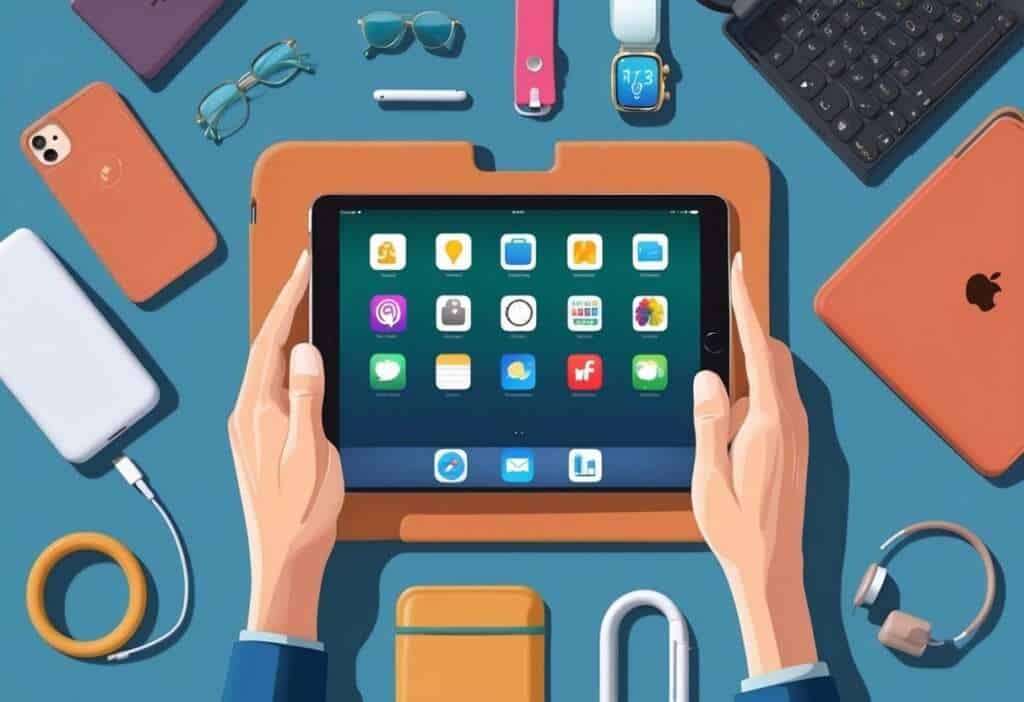
Picking the perfect iPad and accessories can make your tablet experience much better. The right combo will help you enjoy all those great apps we talked about earlier.
Choosing the Ideal iPad Model
When shopping for an iPad, think about how you’ll use it. The 10th-gen iPad is a good all-around choice. It has a big screen that’s easy to see and use.
If you want something smaller, try the iPad mini. It’s light and fits in your hand well. For more power, look at the iPad Air. It’s fast and works with lots of accessories.
Don’t forget to check out Apple Stores. The staff there can show you different models and let you try them out.
Must-Have Accessories for Your iPad
A good case is a must. It protects your iPad and can prop it up for easy viewing. Look for one that’s sturdy and easy to grip.
A stylus can be helpful if you like to write or draw. The Apple Pencil works great, but there are cheaper options too.
Consider a keyboard case if you type a lot. It turns your iPad into a mini laptop.
Screen protectors are smart. They guard against scratches and make the screen easier to see in bright light.
Lastly, don’t forget a good pair of headphones. They’re great for listening to music or watching videos without bothering others.
Frequently Asked Questions
iPads offer many useful apps for seniors. These apps can make daily tasks easier and more enjoyable. They can also help with health, communication, and entertainment.
What are the top free apps that can enhance the lives of seniors?
FaceTime is a great free app for seniors. It lets you make video calls to stay in touch with family and friends. The large screen of the iPad makes it easy to see loved ones clearly.
Another helpful free app is MyFitnessPal. It helps you track your diet and exercise. This can be useful for maintaining a healthy lifestyle as you age.
Which iPad games are most suitable for elderly users?
Word games like Words With Friends are fun for seniors. They keep your mind sharp and let you play with others. Puzzle games like Sudoku are also good choices.
Solitaire is a classic card game many seniors enjoy on the iPad. It’s easy to learn and can be played at your own pace.
How can iPads be set up to be more accessible for seniors?
You can make the text bigger on your iPad. This helps if you have trouble seeing small print. To do this, go to Settings, then Display & Brightness, and adjust the text size.
You can also turn on VoiceOver. This feature reads aloud what’s on the screen. It’s helpful if you have vision problems.
Are there any apps specifically designed for seniors living alone?
Yes, there are apps made just for seniors living alone. GrandPad is one example. It’s a simple app that makes it easy to stay in touch with family.
Another useful app is Pillboxie. It reminds you when to take your medicines. This can be very helpful if you live alone and need to manage medications.
What are the best apps to assist seniors with dementia when using an iPad?
There are apps that can help seniors with dementia. Lumosity is a brain-training app with games that may help memory. It’s fun and might improve cognitive skills.
MindMate is another good app for those with dementia. It offers brain games, exercise videos, and nutrition tips all in one place.
Can iPads be a helpful tool for seniors, and how?
Yes, iPads can be very helpful for seniors. They let you stay connected with loved ones through video calls and messages. This can reduce feelings of loneliness.
iPads also give you easy access to information. You can read news, look up health info, or learn new things. The large screen makes it easier to see than a phone.


