
Staying fit as you age doesn’t have to be a chore. With the right tools, you can make exercise fun and engaging. Fitness apps are a great way to stay active and healthy, especially for baby boomers looking to maintain their vitality.

The best fitness apps for boomers offer workouts tailored to your unique needs and abilities. These apps can help you stay motivated, track your progress, and even connect with others who share your fitness goals. From gentle yoga to low-impact cardio, there’s an app out there that’s perfect for you.
Ready to spice up your fitness routine? Let’s explore 10 fun fitness apps that will help you stay fit and active. These apps are designed with your needs in mind, making it easy to find workouts that suit your lifestyle and keep you moving.
Why Fitness Matters for Boomers

Staying active is key to enjoying your golden years. Regular exercise helps you maintain your independence and keeps you feeling young at heart.
Physical activity boosts your overall health in many ways. It strengthens your muscles and bones, which helps prevent falls and injuries. Exercise also improves your balance and flexibility.
Your mental health gets a lift from fitness too. Working out releases feel-good chemicals in your brain. This can help fight stress and depression. You may even sleep better at night.
Keeping fit can lower your risk of many health problems. These include:
- Heart disease
- Diabetes
- High blood pressure
- Some types of cancer
Exercise doesn’t have to be boring or hard. You can try fun activities like:
- Dancing
- Swimming
- Yoga
- Walking with friends
53% of people aged 45-64 exercise for 30 minutes at least three times a week. Joining them can help you feel better and live longer.
Remember, it’s never too late to start. Even small amounts of activity can make a big difference in your health. Talk to your doctor about what types of exercise are right for you.
Setting Achievable Fitness Goals

Hey there, Boomer! Ready to get fit? Let’s talk about setting goals that you can actually reach. It’s not about becoming a bodybuilder overnight – it’s about small steps toward a healthier lifestyle.
First, think about what you really want. Maybe it’s to lose a few pounds or just feel stronger. Write it down! Make your goal clear and measurable.
Now, break that big goal into smaller bits. Instead of “lose 20 pounds,” try “walk 15 minutes every day this week.” That’s something you can do!
Use your fitness app to track your progress. Many apps let you set targets for weight loss or exercise. They can remind you to move and show how far you’ve come.
Don’t forget about your ticker! Keeping an eye on your heart rate during exercise helps you stay safe and see improvements.
Remember, slow and steady wins the race. Set goals you can reach in a few weeks, not months. When you hit them, celebrate! Then set new ones.
Your fitness journey is unique to you. Don’t compare yourself to others. Focus on how you feel and the progress you’re making. You’ve got this!
Assessing Your Starting Point
Before diving into fitness apps, it’s important to know where you stand. This will help you pick the right app and set realistic goals.
Determining Your Fitness Level
To figure out your fitness level, think about what you can do right now. Can you walk up a flight of stairs without getting winded? How far can you walk before needing a break?
Try some simple tests at home:
- Count how many pushups you can do
- Time how long you can hold a plank position
- See how many sit-ups you can do in one minute
Write down your results. This gives you a starting point to track your progress.
You can also check your resting heart rate. Put two fingers on your wrist and count your pulse for 15 seconds. Multiply that number by 4. A lower resting heart rate often means better fitness.
Don’t worry if your numbers seem low. Everyone starts somewhere! The goal is to improve over time.
Exploring the Best Workout Apps

Staying fit has never been easier with the help of mobile apps. You can find tons of great options to keep you moving and motivated right on your phone.
Comparing Top Fitness Applications
Apple Fitness+ is a top choice for iPhone users. It offers a wide range of workouts led by pro trainers. You’ll find everything from yoga to strength training.
For Android fans, Sweat is a popular pick. It’s made just for women and has many workout styles to choose from.
If you’re on a budget, try AllTrails. It’s free and perfect for outdoor lovers. You can find hiking and walking trails near you.
Alo Moves is great if you love yoga. They have classes for all levels, from beginner to expert.
Navigating the App Store and Google Play
Finding the right fitness app can be tricky. Both the App Store and Google Play have lots of options. Here are some tips to help you choose:
- Read user reviews
- Check the app’s rating
- Look at the screenshots
- Try free trials when offered
You can also use the search feature in each store. Type in “best workout app” or “fitness applications” to see top picks. Many apps offer free versions to test out before you buy.
Don’t forget to check if the app works with your phone. Some apps are only for iPhones, while others work on any device. Happy app hunting!
How to Incorporate Apps into Daily Routines
Adding fitness apps to your everyday life can be easy and fun. You can track your steps, set goals, and even compete with friends. Here are some tips to help you get started.
Building a Fitness Journey
Start small with your fitness app. Pick one that fits your needs and interests. Maybe you want to walk more each day. Set a goal in the app for 5,000 steps. As you reach that goal, bump it up to 7,500, then 10,000.
Try to use your app at the same time every day. This helps make it a habit. You could check it when you wake up, during lunch, or before bed.
Many apps let you set reminders. Use these to prompt you to move or log your meals. This can help you stay on track with your fitness goals.
Integrating Apps with Wearable Tech
Wearable tech like the Apple Watch can make using fitness apps even easier. Your watch can track your activity all day without you having to open your phone.
Link your fitness app to your watch. This way, your steps, heart rate, and workouts sync automatically. You’ll get a full picture of your daily activity without extra effort.
Use your watch to get app alerts right on your wrist. This can remind you to stand up, take a walk, or do a quick workout. It’s like having a personal trainer with you all the time.
Try setting activity goals on your watch. Aim to close your rings each day. This visual cue can be very motivating and help you stay active.
Overcoming Barriers to Exercise

Getting fit can be tough, but there are ways to make it easier. You can find support and work out at home to stay active.
Finding Motivation and Support
Staying motivated is key to keeping up with exercise. Try joining a fitness app designed for seniors to connect with others who share your goals. These apps often have community features where you can chat and encourage each other.
Ask a friend or family member to be your workout buddy. Having someone to exercise with can make it more fun and keep you accountable.
Set small, achievable goals for yourself. Celebrate your progress, no matter how small. Remember, every little bit of movement counts!
Working Out from the Comfort of Your Home
Your living room can be your personal gym. No need for fancy equipment – you can get fit with just a chair and some comfy clothes.
If you’re a senior seeking chair fitness, try chair yoga. It’s gentle on your joints and great for flexibility.
Use household items as weights. Cans of soup or water bottles work well for arm exercises.
Put on some music and dance in your living room. It’s a fun way to get your heart rate up.
Remember, even small amounts of movement throughout the day add up. Stand up during TV commercials or do leg lifts while reading.
Customizing Your Workout Experience

Fitness apps let you tailor workouts to your needs and goals. You can create plans that fit your schedule and preferences.
Creating Tailored Fitness Plans
With fitness apps, you can build personalized workout routines that match your fitness level. You can choose exercises you enjoy and set goals that work for you.
Many apps act like a digital personal trainer. They help you make training programs that fit your lifestyle. You can pick the days and times you want to exercise.
These apps often let you track your progress. You can see how you’re doing and adjust your plan as needed. This helps you stay motivated and reach your goals.
Some apps even let you design your own workouts. You can mix and match exercises to create routines you like. This way, you’re more likely to stick with your fitness plan.
Remember, the best workout is one you’ll actually do. So use these apps to make fitness fun and fit your life!
Nutritional Guidance and Meal Planning

As you focus on fitness, don’t forget about nutrition! Meal planning apps can help you stay on track with your diet. They’re great tools for Boomers looking to maintain a healthy lifestyle.
Many apps offer meal plans tailored to your dietary needs. You can find options for various eating styles, like low-carb, vegetarian, or gluten-free.
Some popular choices include:
- MyFitnessPal: This app helps you track calories and nutrients.
- PlateJoy: It creates personalized meal plans based on your preferences.
- Paprika: Great for organizing your favorite recipes.
These apps can make grocery shopping easier too. They often provide shopping lists based on your meal plans.
Remember, good nutrition is key to supporting your fitness goals. Meal planning apps can help you make smart food choices and stick to a balanced diet.
Try out a few different apps to find one that suits your needs. With the right tools, you’ll be well on your way to a healthier you!
Staying Safe and Avoiding Injury
Safety first! As you dive into your new fitness journey with apps, it’s crucial to protect yourself from harm. Your body may have some areas of vulnerability, so take it slow and listen to your body.
Before starting any new exercise routine, chat with your doctor. They can give you the green light and offer personalized advice.
Warm up before each workout. This gets your muscles ready and helps prevent strains. A few minutes of gentle stretching or walking in place is a good idea.
Pay attention to your form. Many fitness apps include video demos. Watch these carefully and try to copy the correct movements. If something doesn’t feel right, stop and reassess.
Invest in some special equipment to boost your safety:
- Supportive shoes
- Yoga mat for cushioning
- Resistance bands (start with light resistance)
- Balance ball or chair for better balance
Don’t push yourself too hard. It’s okay to challenge yourself, but pain is a warning sign. If you feel sharp pain, stop the exercise right away.
Stay hydrated! Keep water nearby and sip regularly during your workouts. This helps prevent dizziness and fatigue.
Remember, progress takes time. Celebrate small wins and be patient with yourself. Your health journey is unique, and every step counts!
Evaluating App Features and Benefits
Fitness apps offer many helpful tools for staying active. Let’s look at what makes them easy to use and try out.
User-Friendly Features and Accessibility
Most fitness apps have simple designs that are easy to navigate. You’ll find big buttons and clear text that’s easy to read on your phone screen. Many apps work well on both Apple devices and other smart phones.
The best apps include instructional videos. These show you how to do exercises correctly. You can often pause or replay videos as needed.
Look for apps with voice guidance. This feature talks you through workouts, so you don’t have to keep looking at your screen.
Some apps let you track your progress over time. You can see how your fitness improves week by week. This can be very motivating!
Exploring Free Trials and Subscriptions
Many fitness apps offer free trials. These let you test the app before paying. Trials often last 7 to 30 days. It’s a great way to see if you like an app.
After the trial, you’ll usually need a subscription. Prices can range from $5 to $30 per month. Some apps have yearly plans that cost less.
Watch out for in-app purchases. These might be for extra workouts or features. Make sure to check the app’s terms of use. This tells you what’s included in the basic subscription.
Some apps have free versions with fewer features. These can be good if you just want basic workouts.
Sharing Success Stories
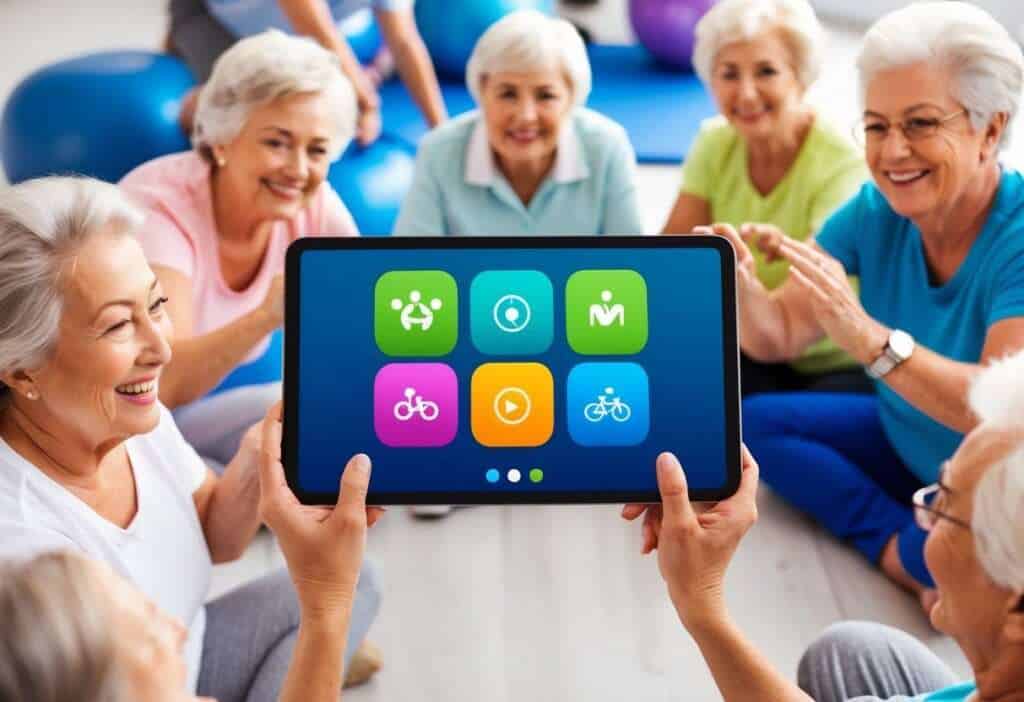
Many fitness apps let you share your wins with others. This can be really fun and motivating!
You might post about hitting a new personal best or sticking to your workout plan for a month. Other users can cheer you on and give you virtual high-fives.
Some apps have special groups for people with similar goals. You can join these to connect with others on the same path.
Seeing other people’s progress can inspire you too. Maybe someone lost 20 pounds or ran their first 5K. Their stories might push you to keep going.
Silver Sneakers GO is great for this. It helps you track your fitness journey and share it with friends.
You can also find success stories from people in Blue Zones. These are places where people live longer, healthier lives. Their habits might give you ideas for your own health goals.
Remember, every small step counts. Celebrate your progress, big or small. Sharing your wins can make your fitness journey more fun and rewarding.
Frequently Asked Questions

Many fitness apps cater to boomers and seniors. They offer different exercise types, difficulty levels, and price points. Let’s look at some common questions about these apps.
What are some highly rated fitness apps suitable for boomers?
Peloton and Fit Body are popular choices for boomers. They offer varied workouts and supportive communities. You might also like Nike Training Club, which has a wide range of exercises for different fitness levels.
Are there any cost-free exercise apps tailored for seniors?
Yes, there are free options. Silver Sneakers GO is designed for seniors and helps you stay active. It’s free and offers customized workout plans.
Which fitness apps for seniors offer exercises that can be done indoors?
Many apps have indoor-friendly workouts. Yoga Down Dog is great for indoor yoga practice. It’s easy to use and perfect for beginners.
Can you recommend fitness apps for older adults that cater to different experience levels?
Obé Fitness offers workouts for various skill levels. You can choose from beginner to advanced classes. This app helps you progress at your own pace.
How do I find senior-friendly fitness apps on my iPhone?
On your iPhone, open the App Store and search for “senior fitness” or “exercise for older adults”. Look for apps with high ratings and read user reviews to find the best fit for you.
What types of exercise regimens do top apps for senior fitness provide?
Top apps offer a mix of exercises. You’ll find strength training, cardio, yoga, and balance exercises. Some apps, like Tai Chi for Seniors, focus on specific types of movement that are great for older adults.


